Free lead tracking · Activate Wedding Suite per wedding Built for wedding pros, by wedding pros. No monthly subscription. The product model is free lead tracking plus paid wedding tools opened per wedding when you’re ready. Designed around real wedding needs, not generic business software. 10 beta spots available · 25 complimentary activations for selected participantsWhy You Had Me At I Do
Real wedding needs You Had Me At I Do is not another monthly subscription wrapped around invoices. It is built for the details that matter when a wedding is actually happening: private vows, walking order, reserved ceremony seating, vendor handoffs, readable day-of tools, and venues where the Wi-Fi disappears. Vows, procession, seating, VIPs, vendors, ceremony review, and day-of mode live in the same wedding workspace. Capture leads and prep weddings without a subscription. Activate Wedding Suite only when the wedding needs advanced tools. Guests, VIPs, couples, vendors, and the officiant each get the view they need instead of forcing everyone through one generic portal.Designed around real wedding needs, not generic business software.
Designed around wedding reality
Free inquiry mode
Built past the couple portal
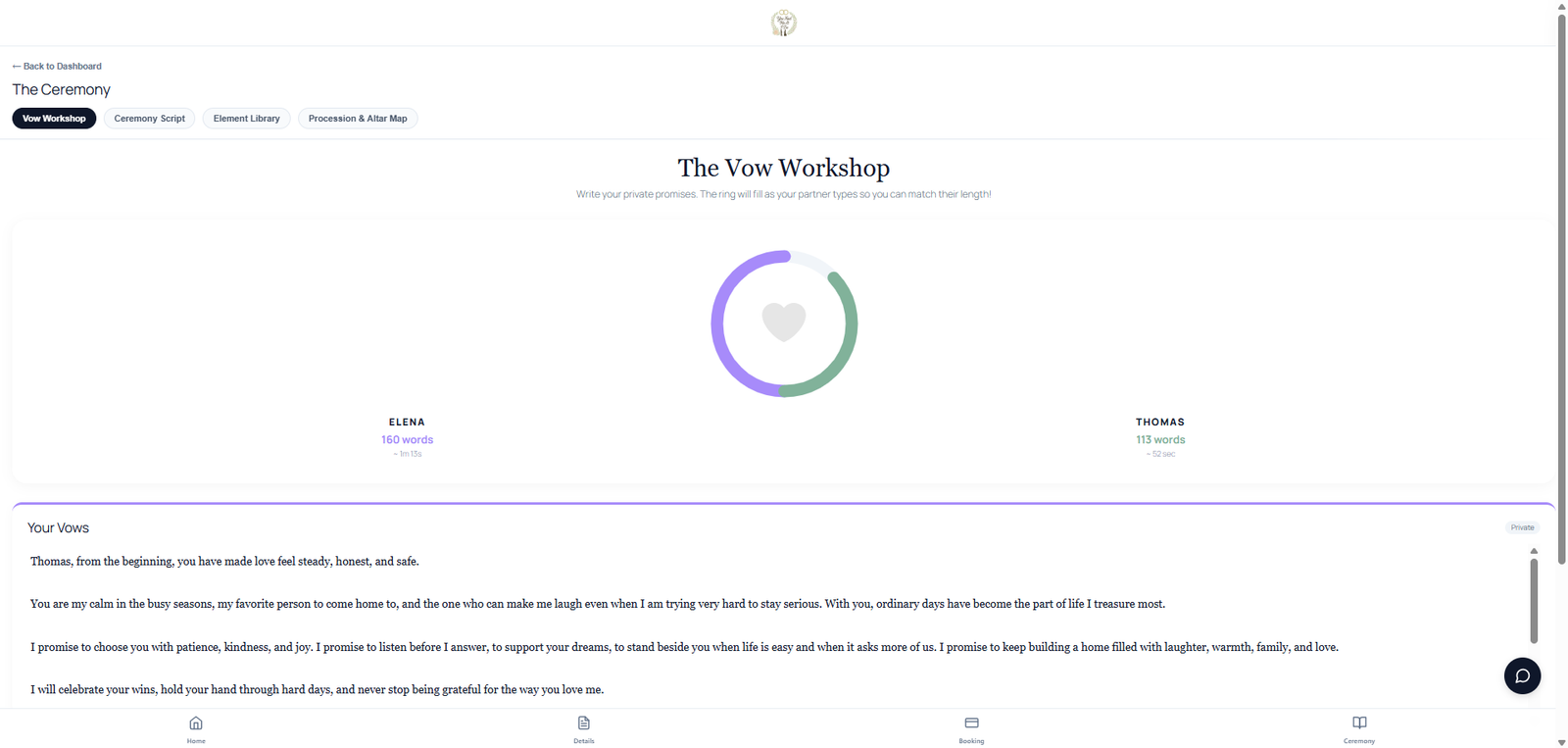
Wedding Suite · Couple portal Private vows. Matched length. No spoilers. Most wedding software stops at a questionnaire or a shared document. Vow Workshop gives each partner a private space in your couple portal — hidden from the other until the altar. A balance ring compares length and speaking time so nobody worries about being too short or too long, without reading each other's words. Optional writing help can polish, make more romantic, lengthen, or shorten, and couples choose whether to use it. Finished vows flow into your ceremony script. Couples work on vows on their own time. You're not the Google Doc middleman at midnight before the wedding. Built into your couple portal — not a separate vow app. Writing help is available when couples want it, but never required.The vow workshop couples actually need
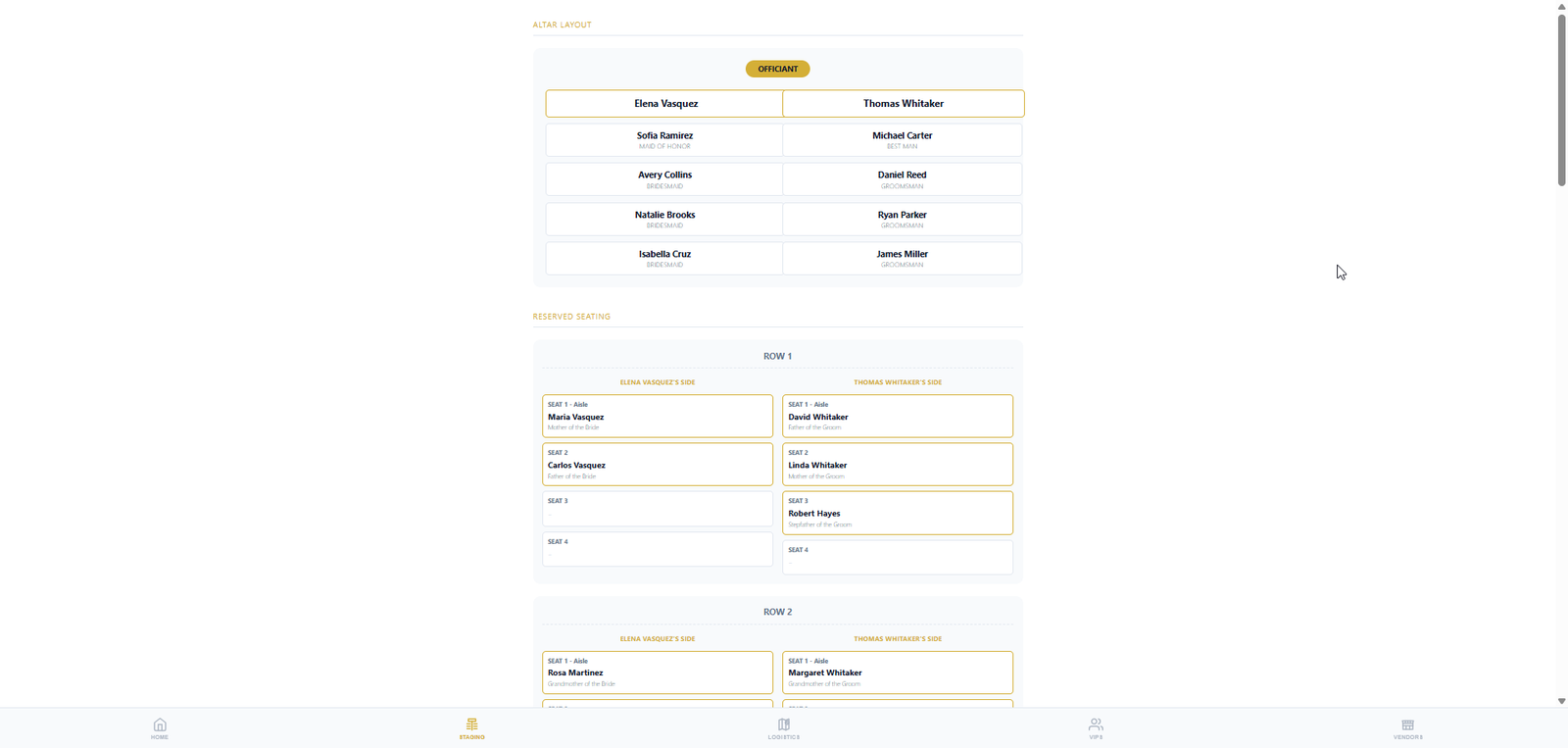
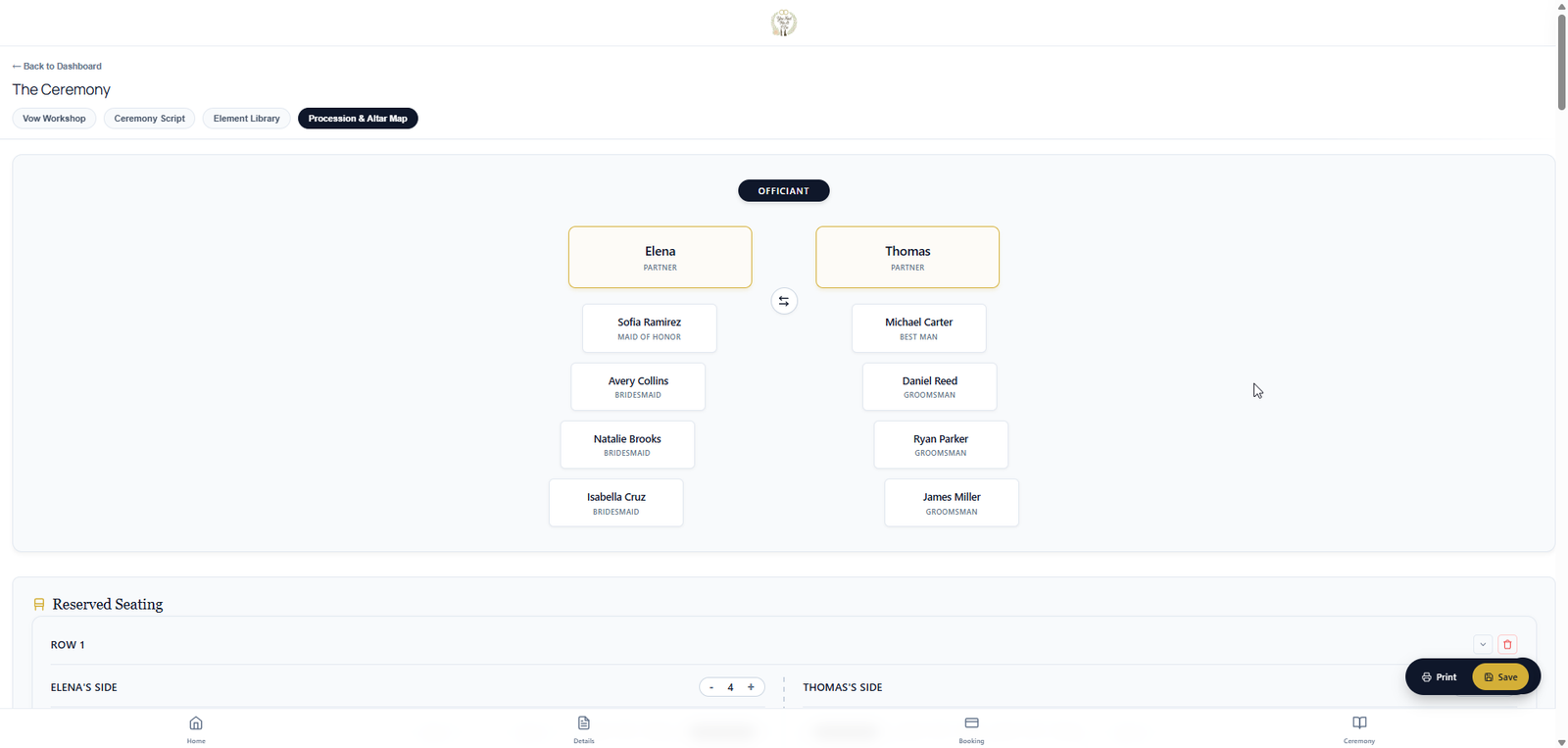
Wedding Suite · You & the couple Walking order. Seating chart. Altar positions. Stop juggling spreadsheets and text threads. You and the couple plan the ceremony layout in one place — walking order for the procession, who sits where, and where everyone stands at the altar. The couple works in the couple portal on their own time; you refine, approve, and publish to VIPs and day-of mode when you're ready. Couples help gather the VIP and wedding-party details; you keep the final say on what the wedding party and VIPs see. Same plan on your tablet at the altar — procession, seating, and altar tabs in day-of mode.Procession, seating & altar planning — together
You Had Me At I Do Generic tools like monthly business software and DJ booking systems usually stop at leads, contracts, and one couple portal. You Had Me At I Do handles quotes, contracts, and payments when you open Wedding Suite — then runs the ceremony itself: private vows, procession, seating, role-specific portals, and offline day-of mode. Couples write vows privately in your portal — compare length without spoilers. Optional writing help is available when they want it. Finished vows in your ceremony script. Not a separate app. Free lead tracking is the base model. One credit per wedding opens paid wedding tools — on every inquiry, when they book, or never. Free lead tracking handles your inquiry list and a light couple portal. Wedding Suite unlocks the full couple portal plus guest, VIP, and vendor portals. Paste messy text — officiants import past ceremonies & elements; couples and officiants import VIP lists ready for procession and seating. Couple and officiant plan walking order, seating chart, and altar positions together in the couple portal and your studio — then carry it to day-of on your tablet. Typical software stops at the inbox. You Had Me At I Do carries you through guest programs, wedding-party layouts, and the ceremony itself — not just paperwork. Ceremony script, procession, and altar layout on your tablet — dark mode and larger text at the chapel. Download an offline backup before you lose Wi‑Fi. One-click emergency transfer to a backup officiant if you cannot make it. Print QR codes for vendors and the wedding party. Share guest program links — instant access, no passwords. Configure packages and contract templates free in your studio. When you activate Wedding Suite, couples review quotes, e-sign, and pay deposits and balances through Stripe or PayPal — same wedding workspace as vows and day-of.Built for the altar — not just the inbox
Vow Workshop
No monthly subscription
One portal isn't enough
Magic Import
Procession, seating & altar
Built for the altar
Day-of mode, backup & emergency handoff
QR codes at the venue
Quotes, contracts & payments
Capability
Typical wedding software
You Had Me At I Do
Cost model
Monthly subscription — pay even in slow season
No monthly subscription. The product model is free lead tracking plus paid wedding tools opened per wedding when you’re ready.
Payments
External Stripe or invoice tool — couples sent off-platform to pay
Stripe & PayPal built in, plus payment-only links so a parent or sponsor can pay without seeing the planning
Ceremony script
Shared Google Doc or email threads — partners may see each other's words
Collaborative script with the couple in real time, private vows, and reusable elements — finished script ready for the altar
Contracts & e-signatures
Bolt on a separate signing tool, then chase signed PDFs by email
Quotes, contracts, deposits, and balances in one place — same wedding workspace as the script and day-of
Day-of mode
Mobile timeline or PDF export — and crossed fingers on venue Wi‑Fi
Tablet altar script with walking order, dark mode, larger text, and an offline backup downloaded before you leave
Checklists & to-dos
Generic templates or notes apps disconnected from the wedding
Per-wedding lists — private (officiant/company) or public for the couple; they can add pick up the dress, get fitted for the tux, and more
Before you book
Free trial, then monthly billing starts
Set up pricing, contract templates, and checklists free — they go live for the couple when you activate
Who can see what
One couple portal — guests and vendors usually left out
Couple, guest, VIP, and vendor portals — shareable links or QR codes, no app download
Seasonal officiants
Same bill every month, booked or not
No bill in the offseason — one credit per wedding only if you activate (or stay on free lead tracking)
Portals
Four audiences — not one client login
Typical software gives the couple one portal after you pay monthly. You Had Me At I Do Studio starts free for inquiry prep — then Wedding Suite unlocks guest, VIP, vendor, and couple portals, Vow Workshop, and procession, seating, and altar planning you work out together.
Couples always have a portal — light before activation, full after. Free lead tracking is their contact info, ceremony details, and The Story of You, plus your inquiry list and studio prep. Wedding Suite unlocks vows, ceremony tools, contracts, payments, and guest, VIP, and vendor portals. Each portal below goes live when you activate Wedding Suite The digital program Everything guests see, plus… The couple's full portal Day-of timeline for vendorsFree Light couple portal (free)
Wedding Suite When you activate (1 credit)
Guests
VIPs
Couples
Vendors
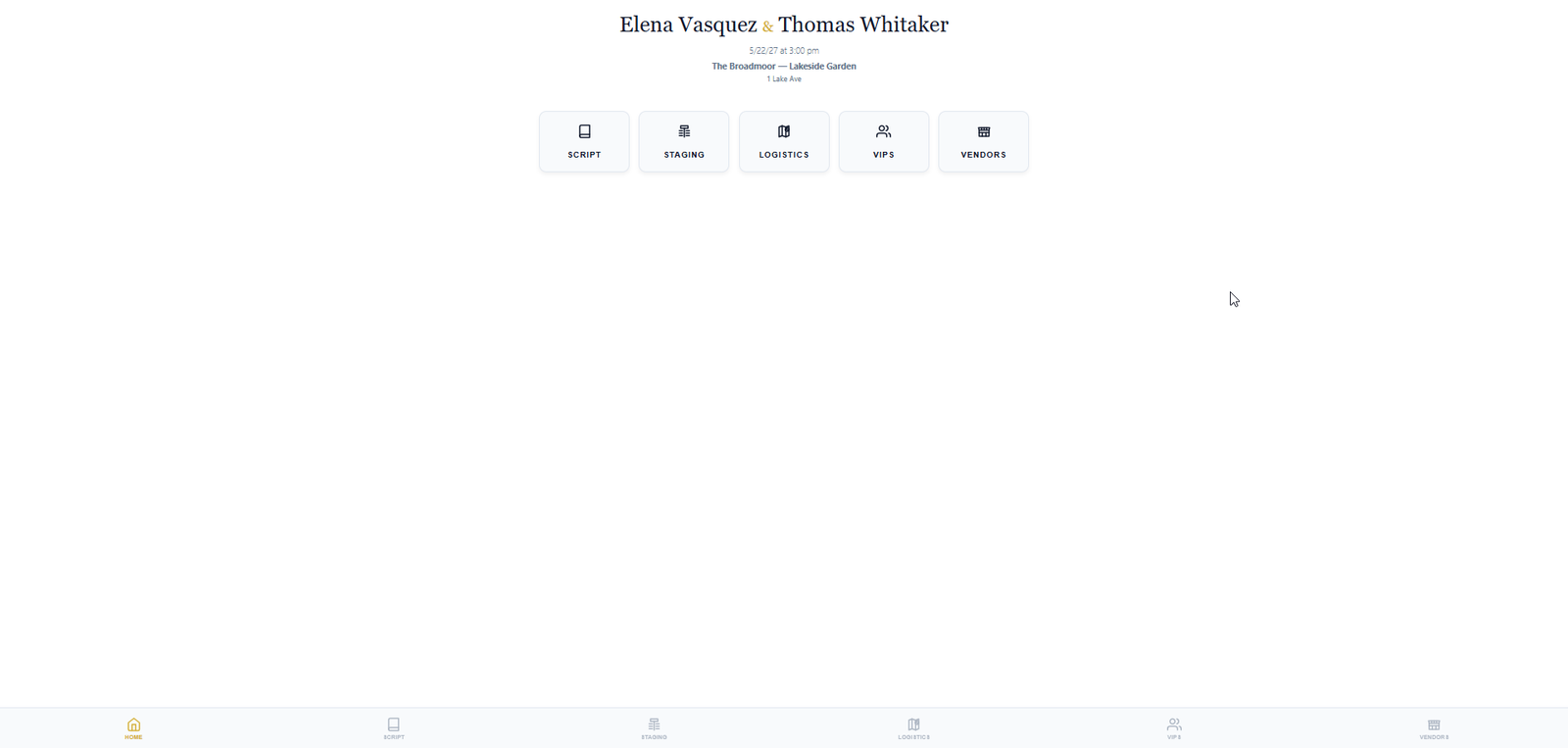
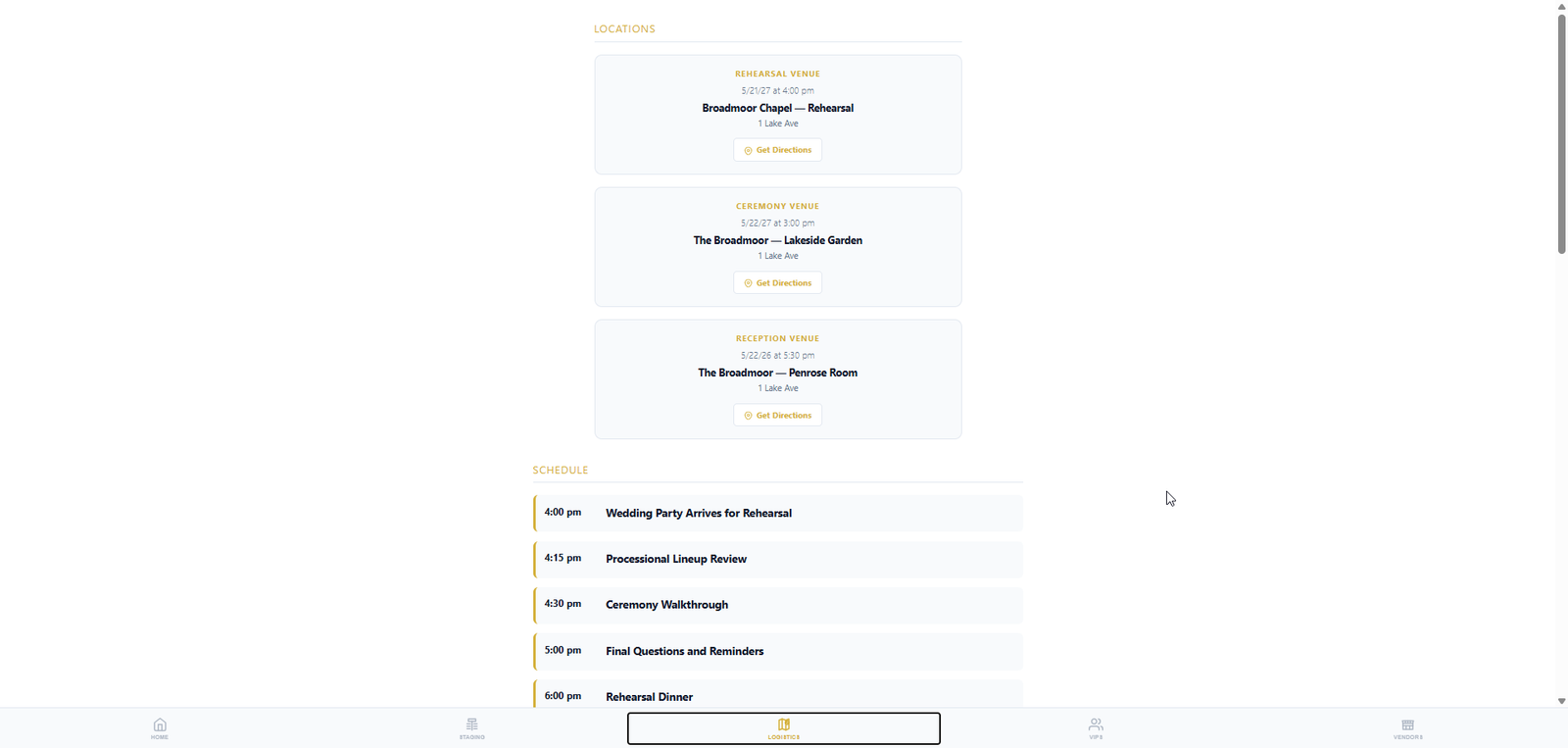
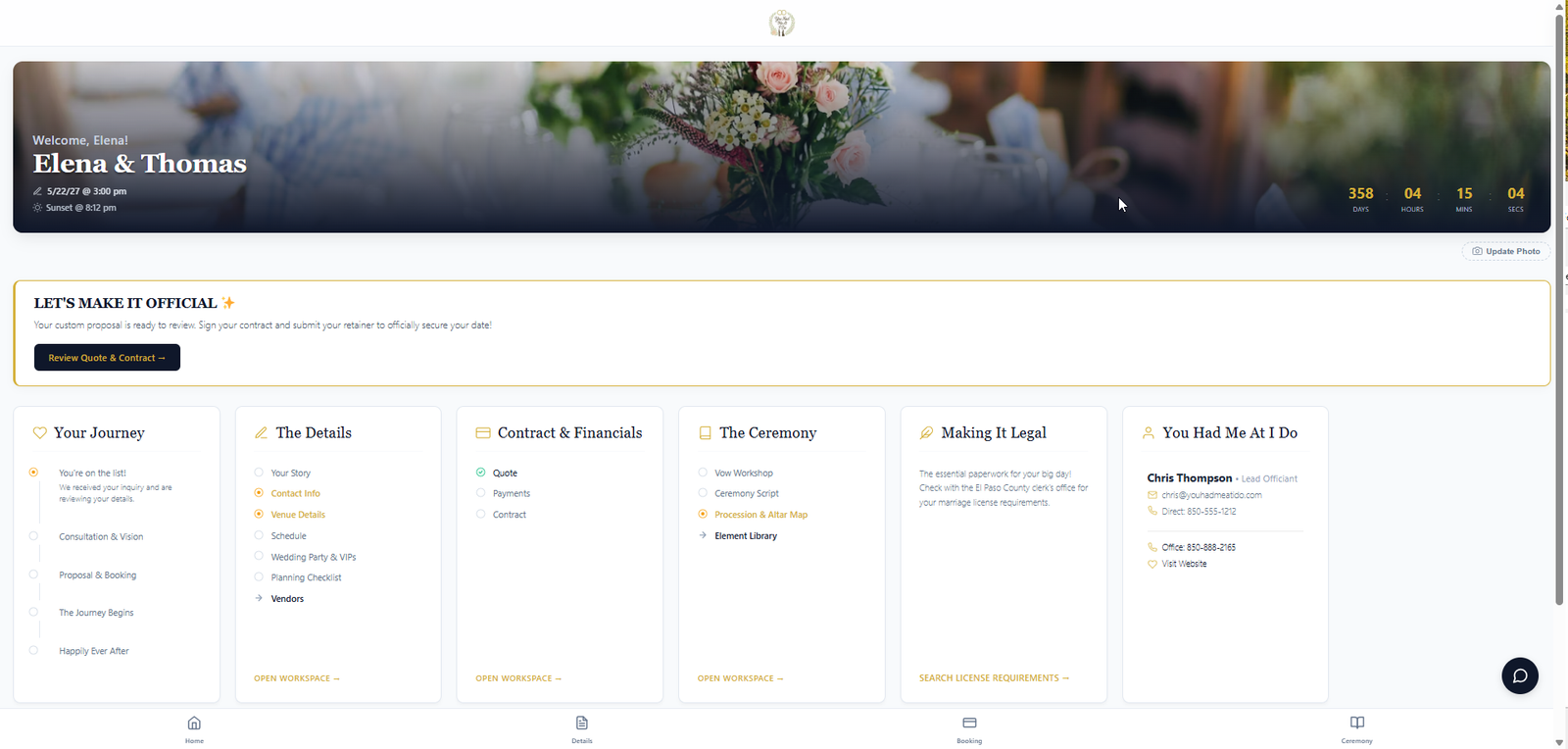
Wedding Suite Everything you planned with the couple — ceremony script, wedding party, vendors, schedule, plus the procession, seating chart, and altar positions you built together — on your tablet or phone. Readable in any light, even with no cell signal.Day-of mode — built for the altar
Compare all portals
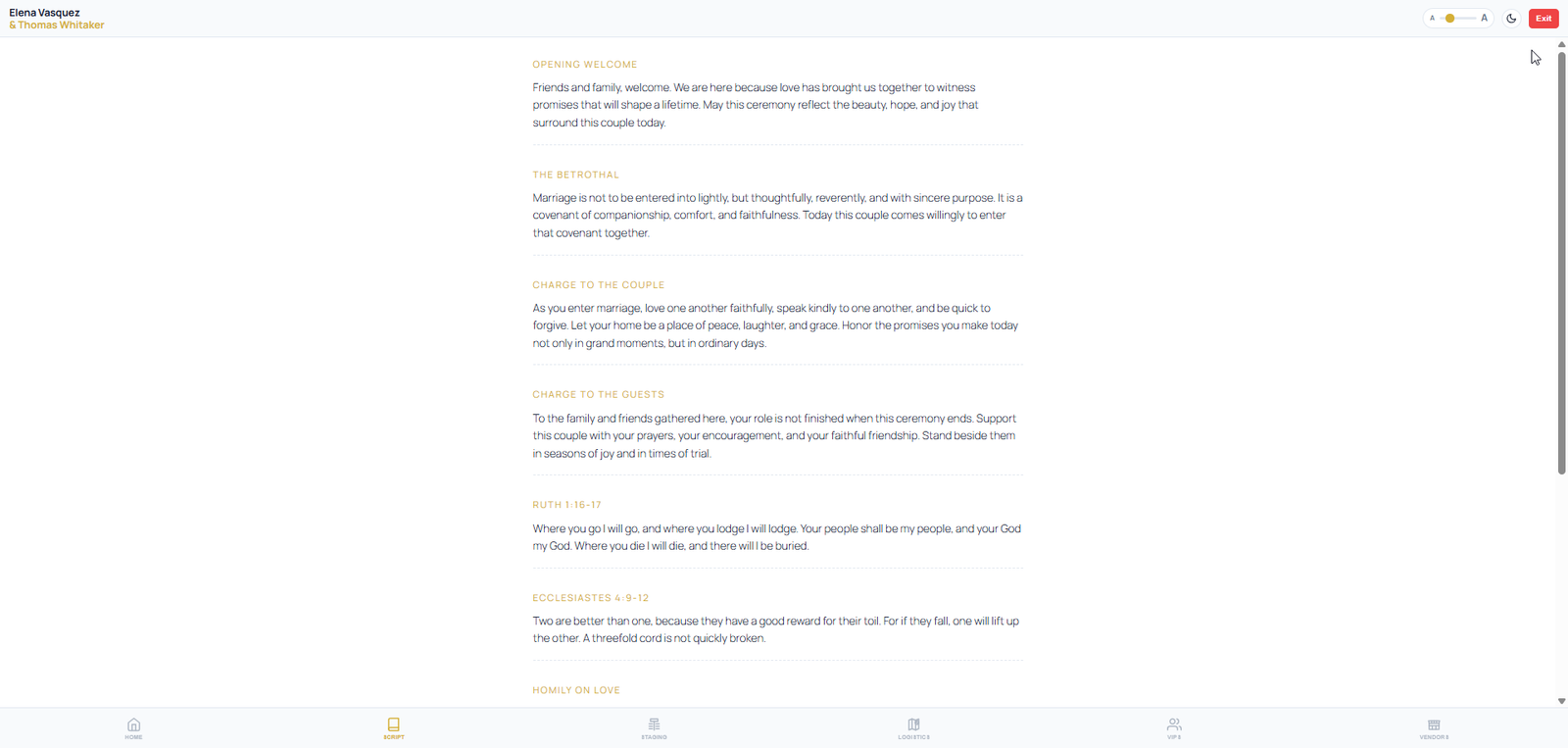
Pay per wedding Track inquiries and prepare your studio for free. Couples get a light portal from the first inquiry; Wedding Suite opens the full couple experience when you activate that wedding. No monthly subscription. The product model is free lead tracking plus paid wedding tools opened per wedding when you’re ready. You choose when to activate Wedding Suite Keep the inquiry list, statuses, and light couple portal — no credits required. Turn on Wedding Suite automatically when a new lead arrives — couple portals and reminders from day one. Stay in free prep until you've vetted the inquiry — one credit when you're ready to open Wedding Suite for the couple. A popular path for part-time officiants: prep for free, one credit when the couple commits. Couple portal (light) + your studio Full couple portal + role-specific portalsFree lead tracking — pay only when you're ready
Stay on free lead tracking
Activate with every inquiry
Activate after you review
Activate when they book
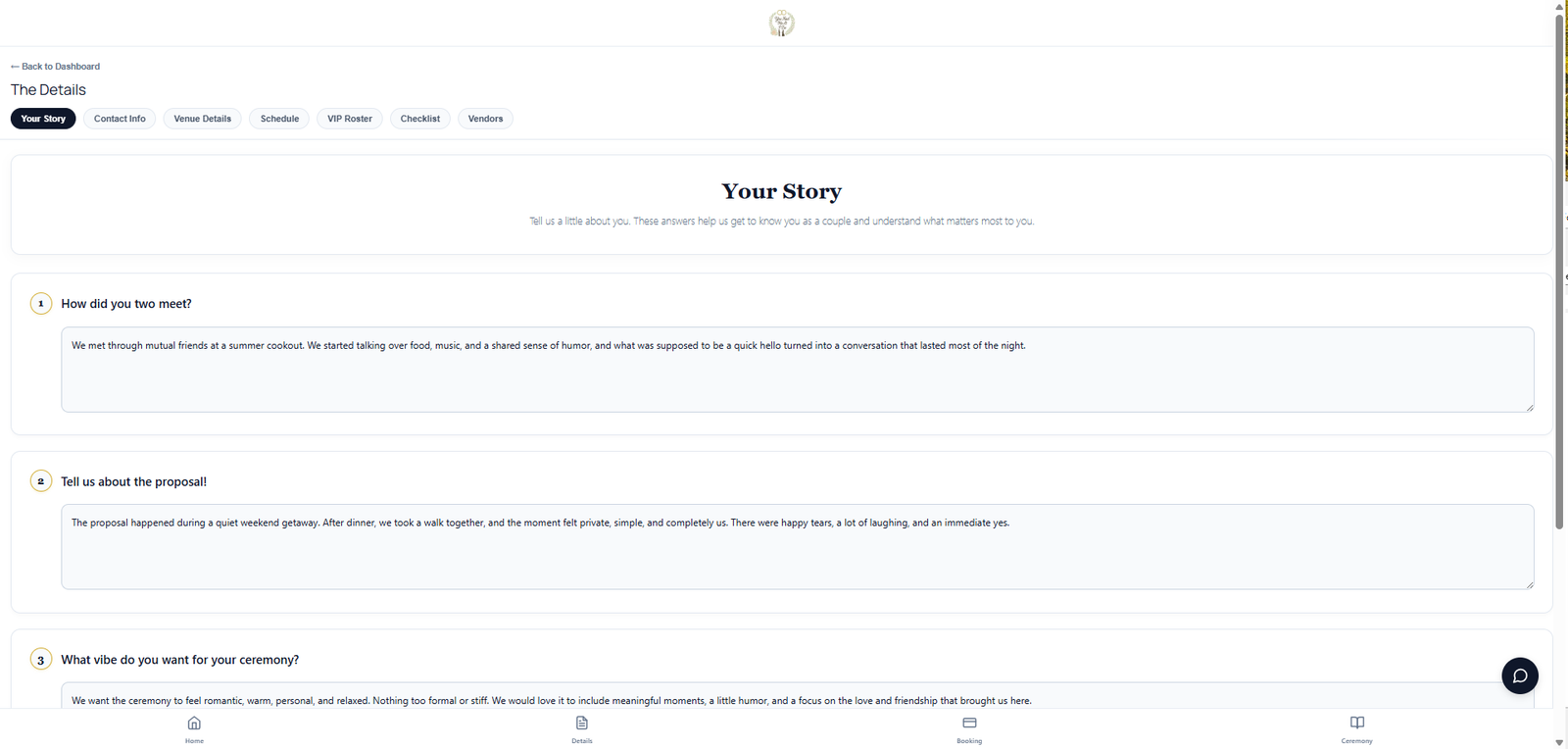
Free Free lead tracking
1 credit Wedding Suite
Up to 10 selected officiants will receive 25 complimentary Wedding Suite activations to use during their first year in the beta.Apply for the officiant beta